Features

Everything Ŭallet tracks — accounts, spending, crypto and debt

Ŭallet is a manual tracker by design: you decide what goes into it, so there are no bank credentials to hand over and nothing to reconnect the next time a bank changes its API. Here is what each part of it actually does.

Multiple Accounts

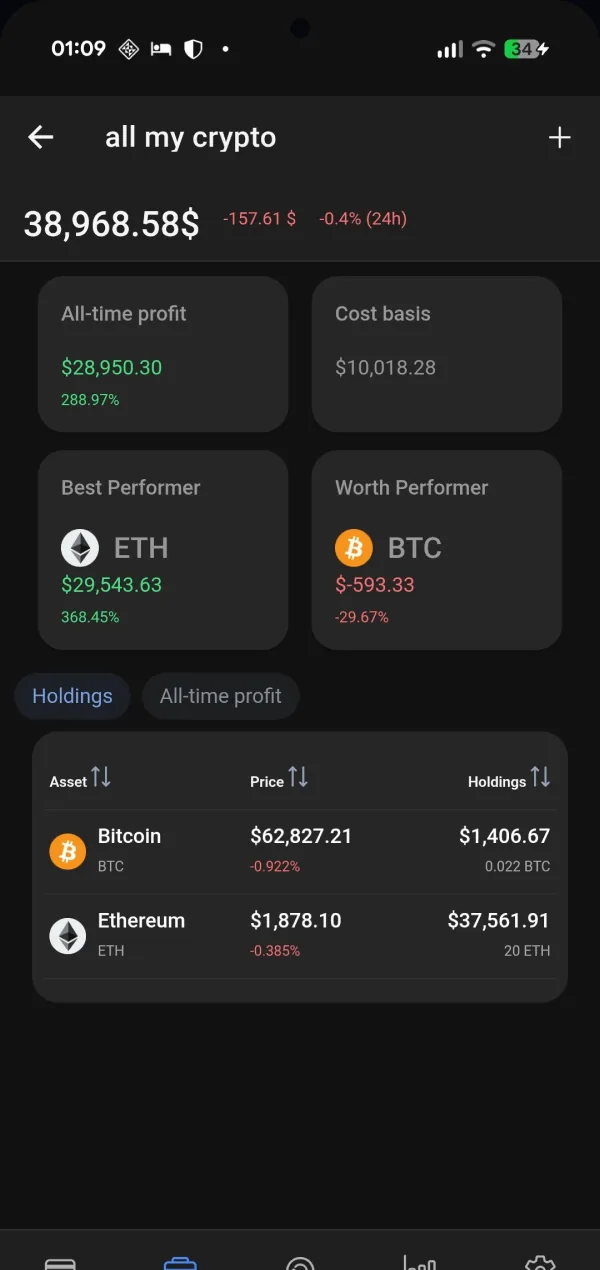
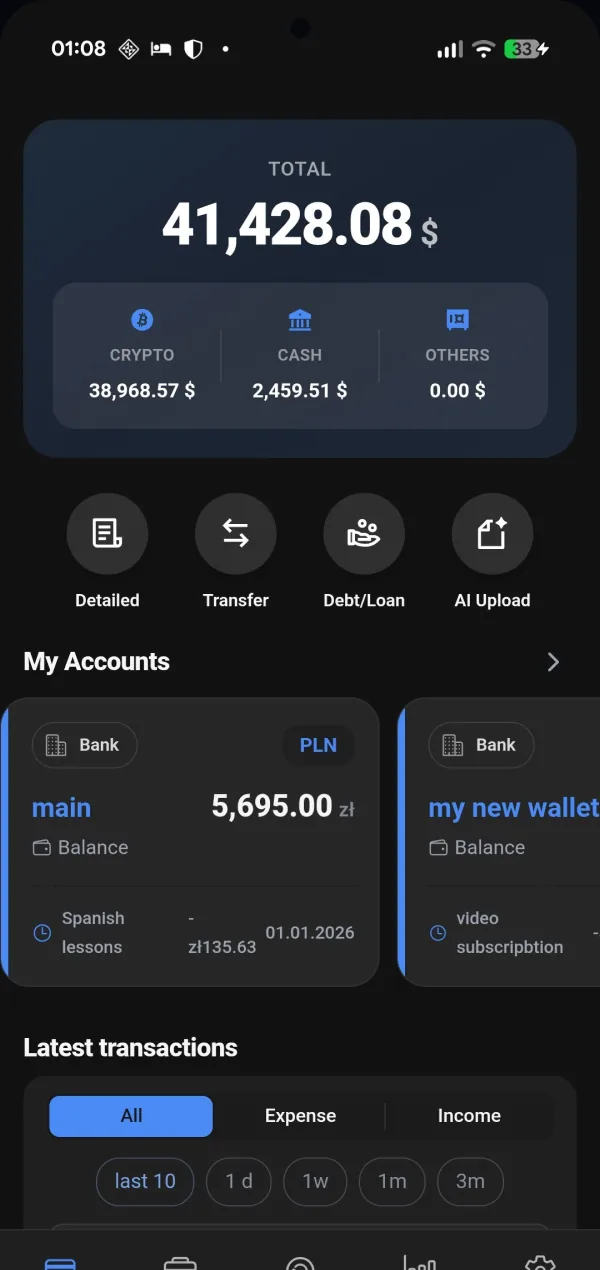
An account in Ŭallet is anything that holds value — a current account, the cash in your pocket, a crypto wallet, a savings jar, or money you owe someone. Each keeps its own currency and the totals are converted, so the figure at the top is your whole position rather than one bank's slice of it.

Because balances are entered rather than imported, the accounts your bank has never heard of count too: a shared holiday fund, a cash box in a drawer, a loan from a friend that no aggregator will ever see.
Transactions

Every entry carries an account, a date and a category, and takes as many tags as you want on top. Tags cut across categories, which is what makes a question like “what did that trip actually cost” answerable afterwards rather than only if you thought to plan for it.

Search runs across notes, tags and amounts together, so tracking down the one payment you half-remember does not mean scrolling through a year of history.

Analytics

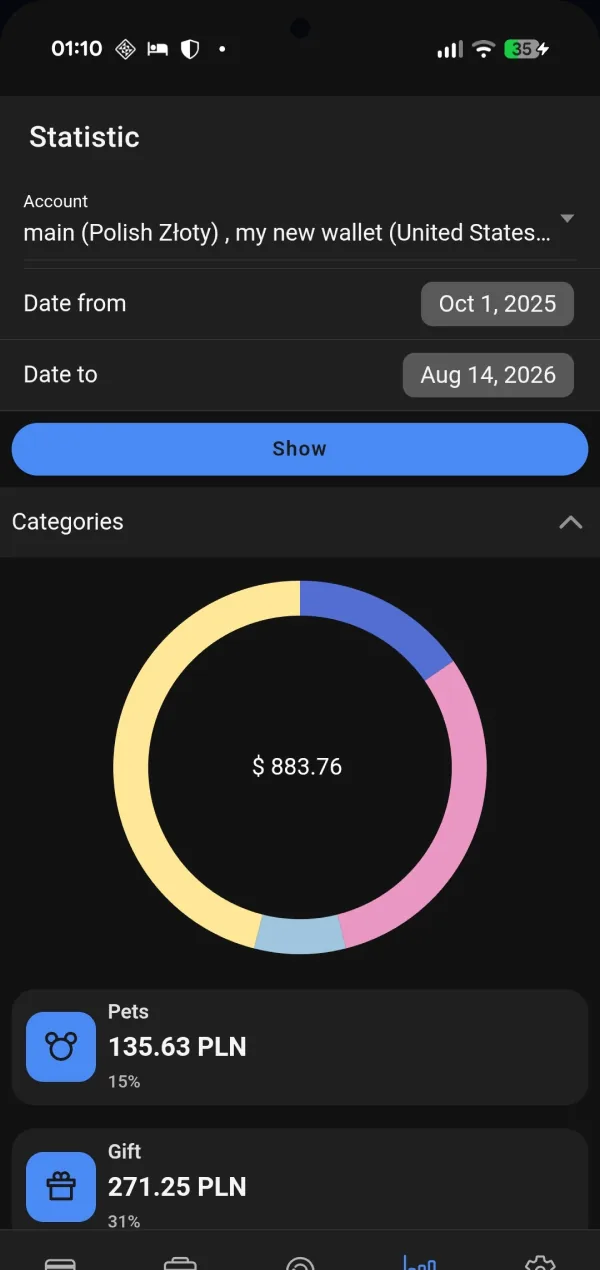
The statistics screen answers where the money went — by category, by period, by account. Every chart is built from entries you already made, so nothing has to be tagged a second time to show up in them.

Periods compare against one another, which turns a column of numbers into a direction: whether groceries are drifting upward, whether last month's subscription cull actually held.

Recurring

Rent, salary, subscriptions and standing transfers are described once, with a schedule, and Ŭallet writes them into the ledger as they fall due.

They also keep the forecast honest — the balance in front of you knows what is still owed this month, not only what has already left the account.

Savings Goals

A goal is a target amount and the account behind it. The ring fills as the balance grows, and the goal keeps showing how much is left and what it takes to get there on schedule.

Underneath, goals are ordinary accounts, so moving money into one is a transfer like any other and lands in the same statistics as everything else.

Debt Manager

Debts run in both directions — money you borrowed and money owed to you. Each carries its balance, its payment history and a projection of when it clears at the pace you are actually paying.

Payments against a debt are transactions like any other, so paying one down shows up in the month's spending instead of quietly disappearing from the picture.

The same wallet on the phone and the laptop

iOS, Android and the browser share one account. Add a coffee on the phone while you queue, review the month on a bigger screen — it is the same data either way, and the web version needs no install.

Ŭallet statistics screen with a spending breakdown by category
Ŭallet dashboard showing total balance and accounts
Ŭallet crypto portfolio screen with live balances

Start managing your finances today

Free to start — no credit card required

Create free account or download the app